Luna for iPhone
Marketing review, wherever you are.
Photograph a printed piece, add screenshots or pick the file. Luna reviews it against the Marketing Rule, and your compliance team can decide from their phone. Pre-clearance, attestations and Code of Ethics requests are in the app too.


Included in every paid plan. iPhone, in the United States.
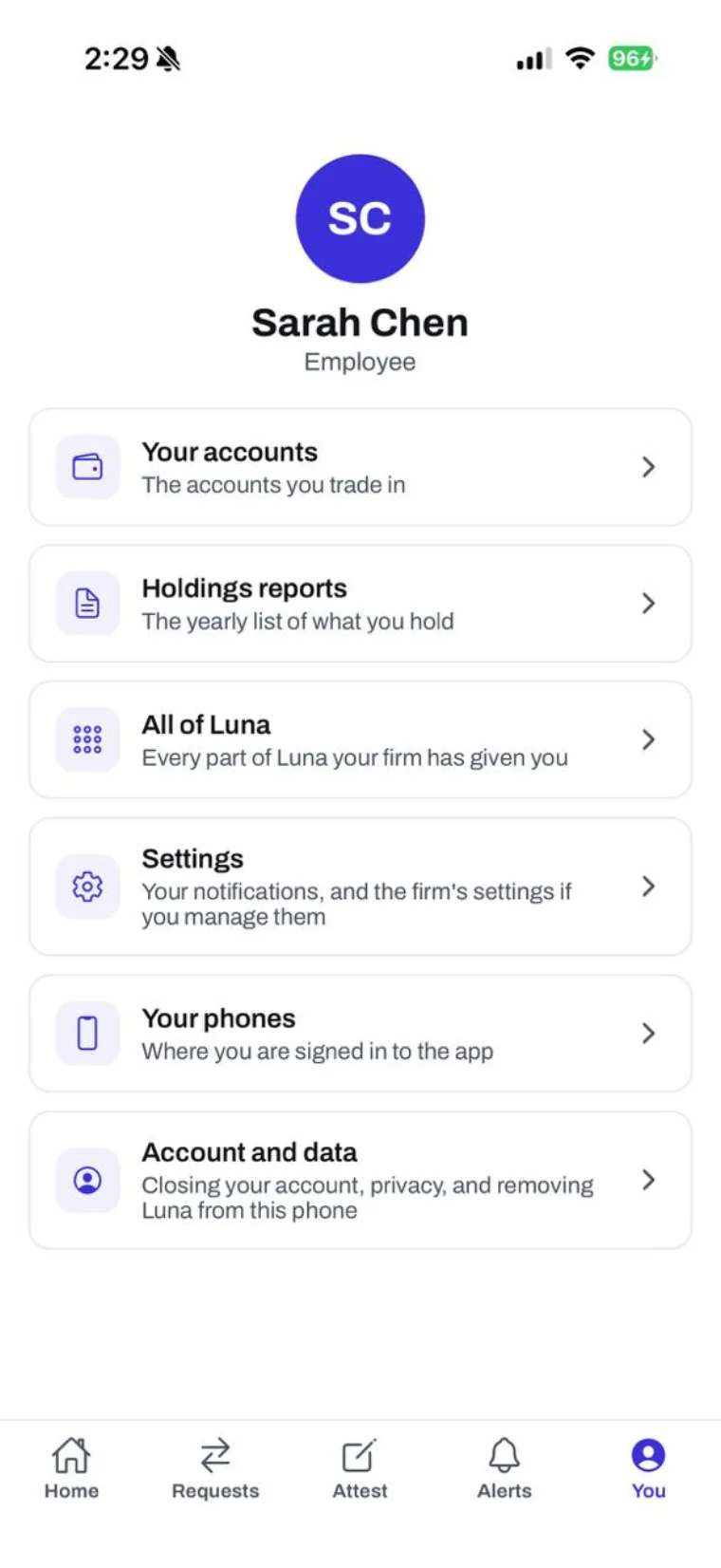
Everything in one place
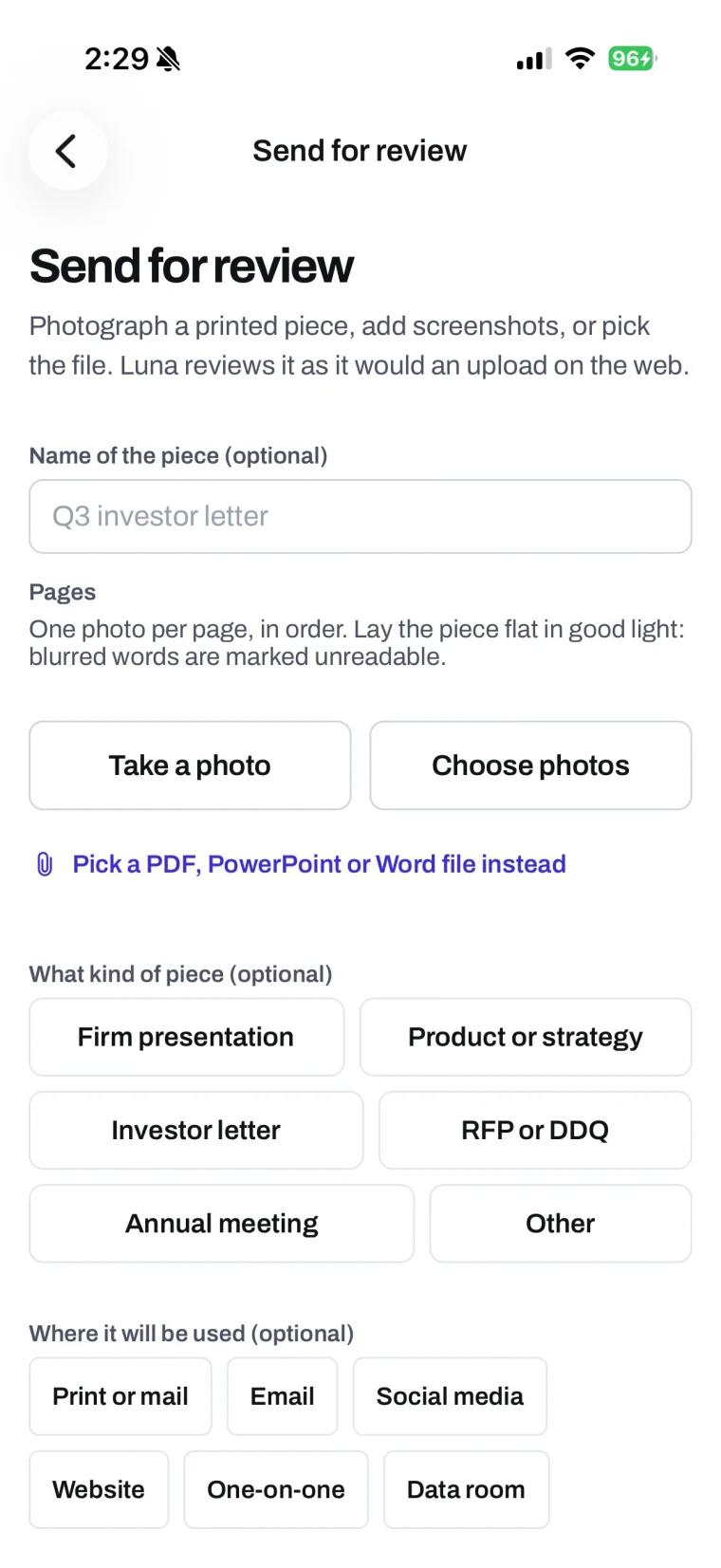
Send marketing for review
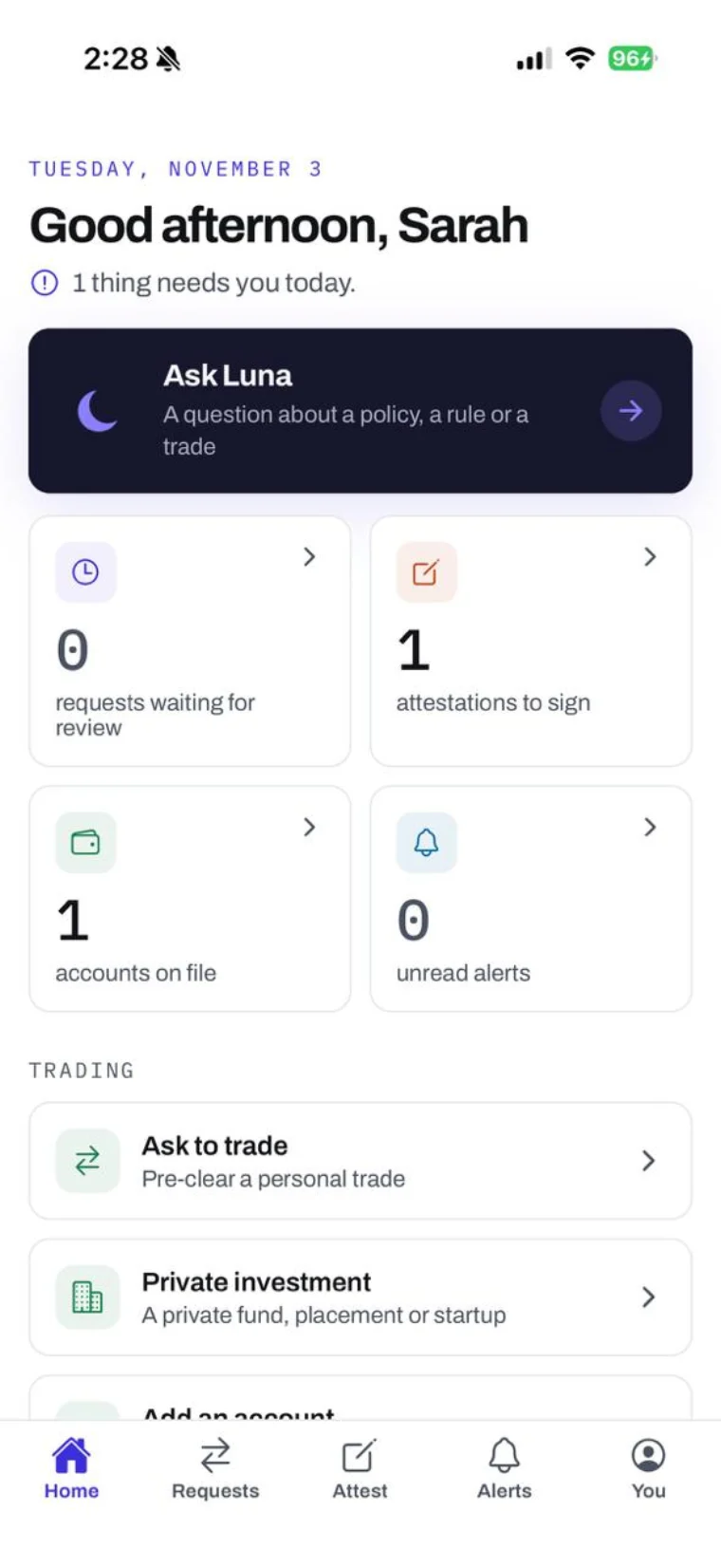
What needs you today
Screens from the app, with a demonstration firm’s data.
Made for a regulated firm
Opens locked
Face ID, Touch ID or the phone's passcode unlocks it, and it locks again after your firm's idle limit. Screenshots are blocked while you are signed in.
Held in memory, then dropped
What you open is held in memory and dropped when the app locks. The app deletes its copies of the photos and files you send.
Quiet alerts
An alert says that something needs a look. It never names a security, an amount, a client or a person.
One record
Every request, decision and signature is kept in your firm's Luna, the same record the web keeps.
Marketing review, from the phone
A pitch book changes on the way to a meeting, or a letter needs one more look before it goes out. The piece reaches compliance from wherever it is.
- 01
Photograph it, or pick the file
One photo per page, in order, or screenshots, or a PDF, PowerPoint or Word file. Where a photo was taken is stripped before anything is kept.
- 02
Luna reads it
Findings appear one by one as Luna reads the piece, from the same review the web runs against the Marketing Rule.
- 03
Compliance decides
The piece joins your compliance team's queue like any other. Luna's findings are suggestions, and a person makes the decision.
- 04
Sign-off on the phone, if your firm allows it
The decision appears after the reviewer has scrolled through every finding and the full text Luna read. The designed piece, with its pictures and layout, opens on the web.
One app, with screens chosen by role
For your people
Access persons and employees
- Send marketing for review. Photograph it or pick the file, watch the findings arrive, then follow your pieces and reply to comments.
- Ask before you trade. Listed securities and private investments, with their documents attached, and an alert when compliance decides.
- Keep accounts and holdings current. Add the accounts you trade in, file and sign your annual holdings report, and photograph a brokerage statement. Where your firm turns it on, Luna reads the trades for you to check.
- Gifts, political contributions, outside activities. Filed the same way your firm's web forms file them.
- Sign attestations by typing your name.
- Ask Luna about your firm's policies and the rules.
- Speak up. Report a concern to your firm, with your name or without it.
For the compliance team
The CCO and analysts
- One queue. Marketing pieces, pre-clearance and Code of Ethics requests waiting for a decision, under the same rules, approvals and records as the web.
- Marketing sign-off on the phone, when your firm allows it, after every finding and the full text have been read. Sending a piece back works from the phone either way.
- Your rules for phones. How soon the app locks, how it unlocks, and whether sign-off may happen on a phone. Each can be made stricter than Luna's defaults, never looser.
- The rest of Luna, too. Every part of Luna your firm uses has a screen in the app. Setup, uploads and exports stay on the web.
How your firm turns it on
- 1
Your firm is on a paid plan
The app is included in every paid plan. What it shows follows your plan and the parts of Luna your firm uses.
- 2
Compliance sets the rules
Lock timing, how the app unlocks, and whether marketing may be signed off on a phone.
- 3
Your people sign in
Your firm sets up each account on the web; there is no sign-up in the app. People sign in with their Luna password and second factor, or your company sign-in.